RunPod
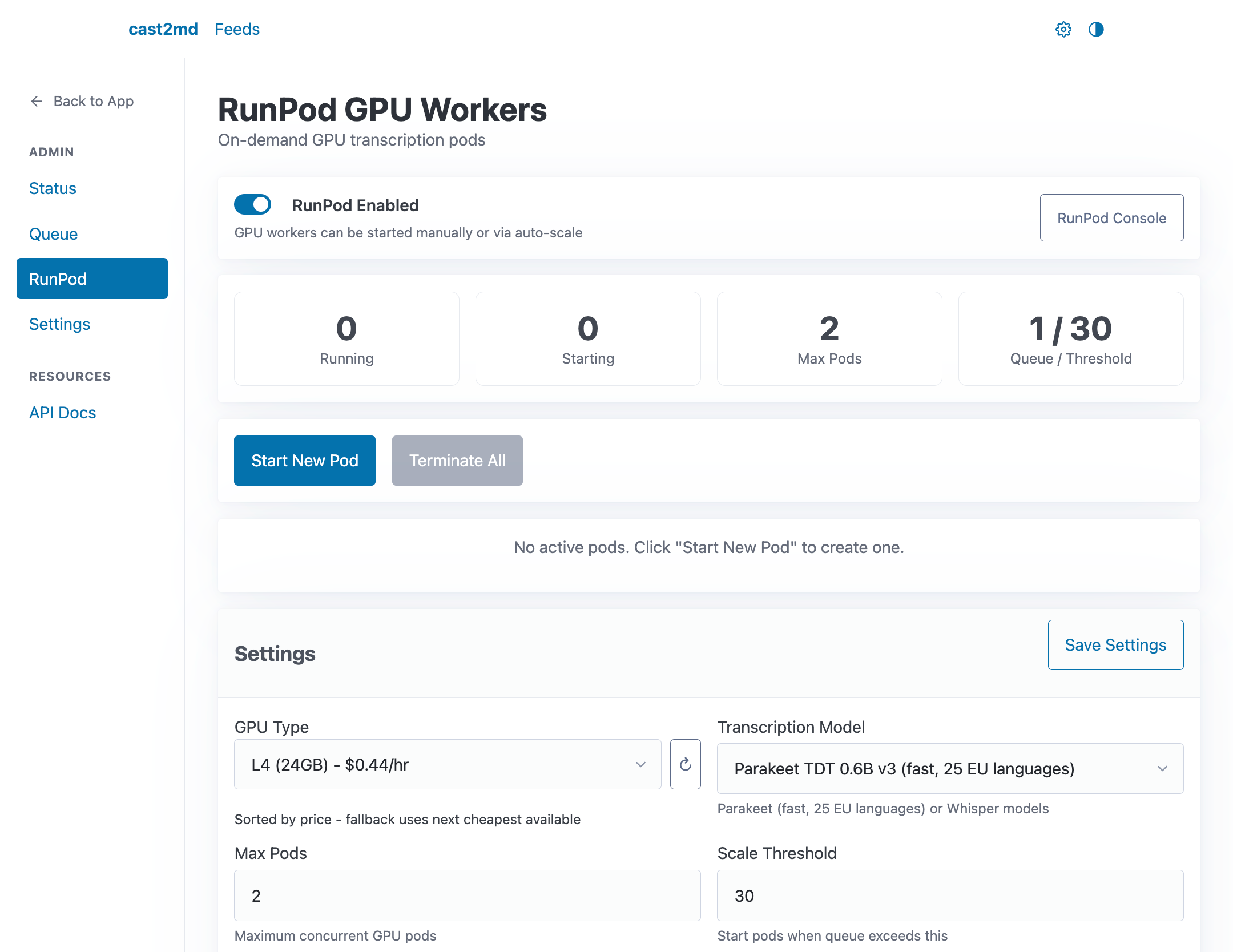
The RunPod section in Settings (/settings) provides on-demand GPU worker management for large transcription backlogs.
Actions
- Create Pod -- start a new GPU worker
- Terminate All -- stop all running pods
- Manage Models -- add or remove transcription models available to pods
Pod Status
Active pods are listed with their current state, instance ID, GPU type, and setup progress. Pods that fail during setup show error details for debugging.
Settings
| Setting | Description |
|---|---|
| Enabled | Master switch for RunPod integration |
| Max Pods | Maximum concurrent GPU workers |
| Auto Scale | Automatically start pods when queue grows |
| Scale Threshold | Queue depth to trigger auto-scale |
| GPU Type | Preferred GPU for new pods |
| Blocked GPUs | GPUs to exclude (CUDA compatibility issues) |
| Default Model | Transcription model for new pods |
| Idle Timeout | Auto-terminate pods after idle for N minutes |
See RunPod GPU Workers for technical details on pod lifecycle, GPU compatibility, and Tailscale networking.